
Gulf County VINELink Coverage
Florida VINELink is a search and notification layer that relays custody data supplied by participating agencies. Official Florida materials have described VINE coverage for county jails and FDC, with juvenile justice also discussed in state circuit material. The present application is stateful, however, and the research crawl could not independently test a live Gulf County Detention Facility record. A matching live record must identify its feeding agency before Gulf participation is treated as verified for that person.
VINE can report current custody, release, transfer, or another event when the source agency sends it. It is not the signed release order. The Gulf County jail owns its booking and physical release record. FDC owns state-prison release and movement data. VINELink relays selected status data and handles alerts. Federal BOP custody is outside the Florida VINE path.
| Custody path | VINELink role | Record used to confirm |
|---|---|---|
| Gulf County jail | Agency-fed status or event when a live Gulf record is available | Gulf jail booking and release entry |
| Florida state prison | Movement and release notification layer | FDC Population or Release Information detail |
| Post-release supervision | Not a full probation or parole record | FDC Supervised Population detail, court order, or FCOR action |
| Federal custody | Not covered by Florida VINELink | BOP locator, federal court, or responsible federal custodian |
Search One Gulf County Inmate
Work from a known custody episode. A full name, booking or offender identifier, case number, approximate custody date, and date of birth when lawfully known help separate similar names. VINELink's live interface determines which fields are accepted. An unsigned search may require a CAPTCHA. The safest result is not the first similar name, but the record whose identifiers and agency match the person and event being checked.
- Open Florida in VINELink and choose Search for Someone.
- Enter the name, ID number, or case number accepted by the live form. Complete the CAPTCHA if the interface requires it.
- Compare all available identifiers before opening a record. Confirm that the feeding agency fits Gulf County jail or the relevant Florida state-custody path.
- Read the literal status and event wording. Do not translate a transfer into a community release.
- Save the agency name and access date, then confirm an exact release time or reason through the jail or FDC record.
When there are several matches, narrow by identifier rather than guessing. A no-result screen is also inconclusive. It can reflect a spelling difference, delayed data, a nonparticipating source, restricted information, or a person held by another custodian. The full Gulf County released inmate lookup provides the jail, court, FDC, federal, and records-request paths for a result that cannot be resolved in VINE.
The Florida VINELink source shows the state search and notification flow captured for this project.
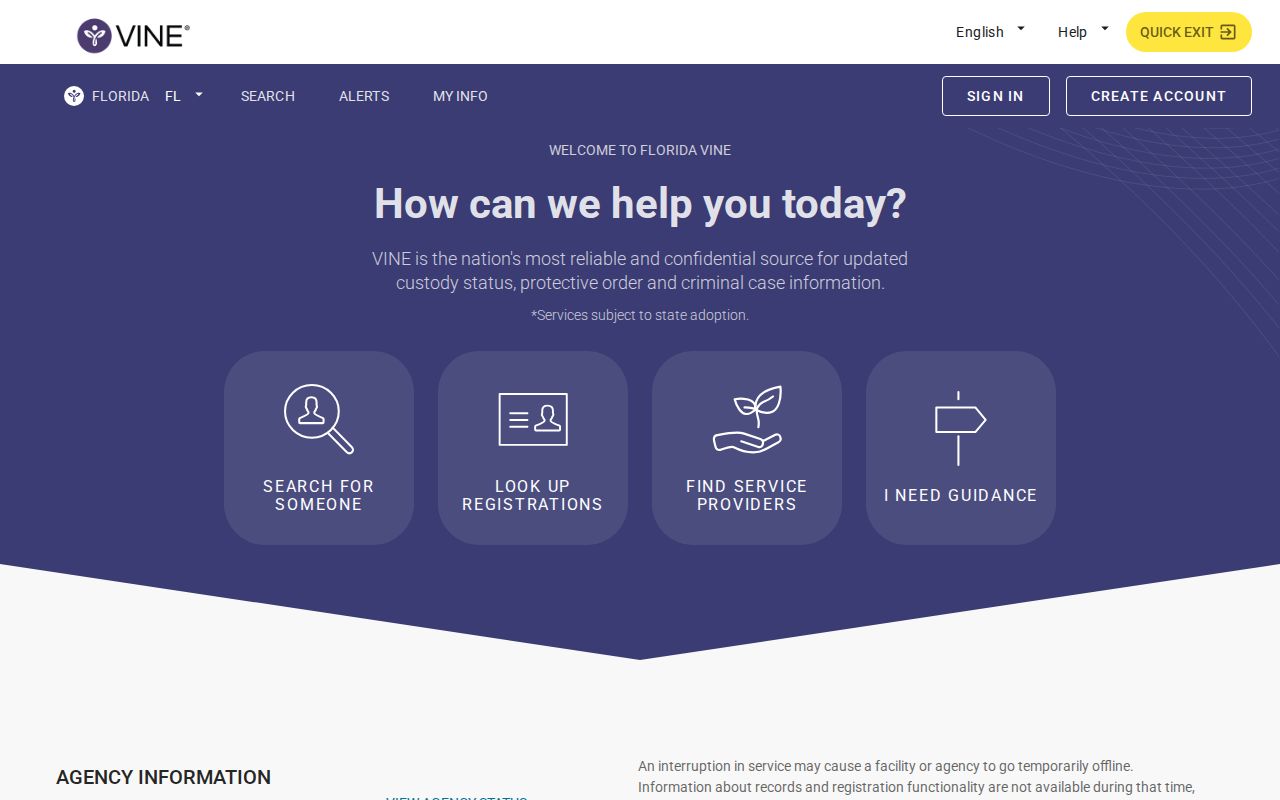
The capture connects the name search to the separate act of adding a notification method.
Note: Searching for a person does not create an alert; notification must be added from the verified record and fully submitted.
Gulf County VINELink Release Fields
The live Florida application did not expose a stable, crawlable released example with a guaranteed set of date fields. Copy the labels visible on the matched record instead of claiming that every Florida result includes an exact release date. At minimum, the reporting agency and literal event text must align with the correct person. A release event proves that the reporting custodian sent that event. It does not prove that all holds ended or that the person remained out of custody.
| Field or screen item | How to read it |
|---|---|
| Person name or identifier | Identity lead that must be compared with the known custody episode |
| Reporting agency | The custodian supplying the event, such as a participating jail or state system |
| Status or event | Exact custody, release, transfer, or other wording supplied by that agency |
| Facility or location | Agency-fed place information, if the record provides it |
| Event date or time | Use only when shown; confirm an exact legal or physical release time with the source record |
| Notification Methods | Controls for registering available alert channels after the match is verified |
A released person usually drops from a current jail population display, while a person still held remains in the current-custody source. VINELink may carry the transition as an event. FDC divides those questions into separate Population and Release Information searches. County-jail release, state-prison release, and federal release should never be inferred from one combined absence.
When a Florida VINE event says released, compare its date and agency with the custodian's own record. For the Gulf County jail, ask whether the entry shows bond, recognizance, time served, sentence completion, dismissal, or transfer. For FDC, search the same DC number in Inmate Release Information and then Supervised Population. A person can be out of prison while parole, probation, conditional release, or another form of supervision remains active. If the jail says released to FDC, USMS, ICE, or another jail, the event is a change of custodian. Follow that receiving system before concluding that the person returned to the community.
Register Gulf County Release Alerts
Notification begins from the verified person's record. Available methods may include email, SMS or text, phone or TTY, and in-app alerts. The live screen controls which choices are offered. National guidance recommends using more than one available method, but a user should not assume that every channel is enabled for every agency. Keep contact settings current and treat the alert as a prompt to check the source agency.
- Open the verified record and select Add under Notification Methods.
- Sign in or create an account. Verify email or text ownership with the six-character confirmation code that the service sends.
- Select the available notification method or methods and language.
- Continue through the screen marked NEXT: PIN and choose a four-digit notification PIN for phone or TTY notices.
- For a phone or TTY call, enter the four-digit PIN followed by the pound sign to acknowledge the event and stop repeat calls.
- Submit the registration. Save the PIN privately, and update any phone number or address that later changes.
Calls can repeat when they are not acknowledged under the jurisdiction's settings. Text generally sends one message for an event and may require a PIN depending on the jurisdiction. Those delivery rules can change, so the live confirmation screen is the best source for the selected Gulf County record.
Two Florida VINE Codes
Florida's notification process uses two codes for different tasks. The six-character account confirmation code verifies control of the email address or text number during account creation. It is temporary account security. The four-digit notification PIN belongs to the alert registration. It acknowledges a phone or TTY call and may be needed to change the registration.
Entering one in place of the other can prevent the account or alert from being completed. The FDC printable instructions say a Florida phone PIN may be any four digits and may default to the last four digits of the phone number when none is selected. Phone calls continue until acknowledgment, while text and email do not repeat in the same way. Follow the current live prompt if it differs from an older form.
Note: Keep the notification PIN private because it can acknowledge notices and may be needed to maintain the registration.
Florida Victim Notification Route
FDC also maintains a separate statutory Victim Notification Request under Florida law. It is limited to eligible victims and representatives. FDC specifically tells nonvictim family members and friends not to use that form. General VINELink self-service remains the appropriate notification route for those users when the verified record permits registration.
For an eligible request, FDC says that providing a telephone number enrolls the requester in automated VINE movement calls for events such as release, transfer, escape, death, and out-to-court. This statutory enrollment is not the same as merely searching VINELink. Eligibility and the form's instructions must be followed as written.
The official FDC request page displays the eligibility warning captured in the manifest.
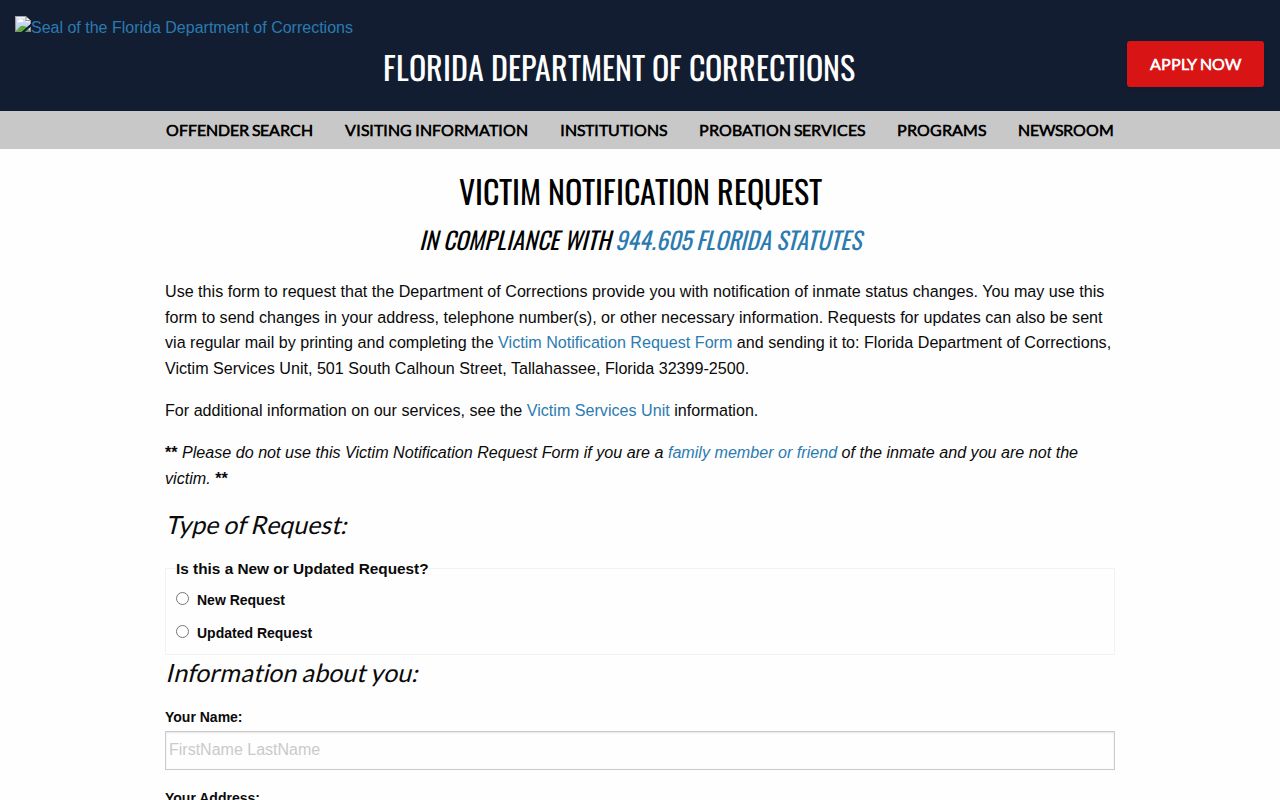
The warning helps keep the restricted statutory request separate from general Gulf County VINELink registration.
Confirm Gulf County VINELink Events
Alerts depend on agency data, system timing, and working contact settings. A delayed alert does not change the legal event, and a no-result does not prove release. For a Gulf County jail episode, call the Detention Facility at (850) 227-1124 and request the existing booking and release entry when durable proof is needed. The Gulf County Clerk docket can show the court order or case disposition, though it may not state the physical door-out time.
For a state prisoner, compare VINELink with the FDC Corrections Offender Network. Current Population answers whether FDC still reports custody. Inmate Release Information covers released or scheduled-for-release state offenders and updates nightly. Supervised Population answers whether legal supervision remains after prison. An FDC release result does not cover a person sentenced only to Gulf County jail or county probation.
Federal prisoners require the BOP Inmate Locator and relevant federal records. USMS may hold a federal pretrial prisoner who is not fully represented in the BOP public locator. ICE's locator addresses current immigration detention rather than serving as a historical release certificate. A Gulf jail entry reading “released to” another custodian is a transfer until the receiving system shows what happened next.